fork
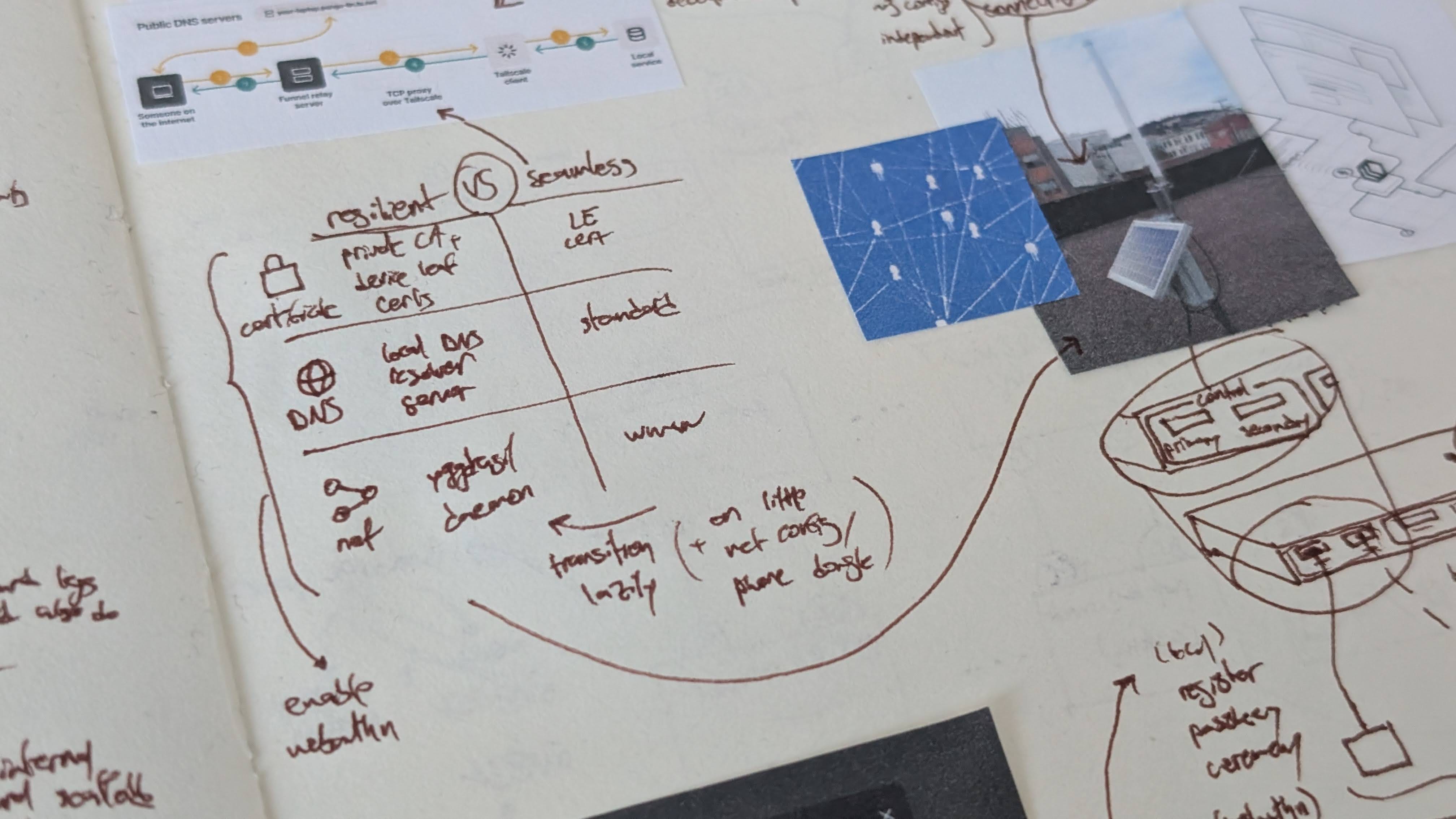
I’ve recently been thinking about a tension inherent to little cloud and how to resolve it. On one hand, it’s important for it to be convenient to set up and use, such that anyone could turn their unused electronics into platforms they can use and rely on. On the other hand, the spirit of the project is in large part about resilience: hardware you own, not corporate data centers; mesh networks, not internet service providers; solar panels, not the energy grid.
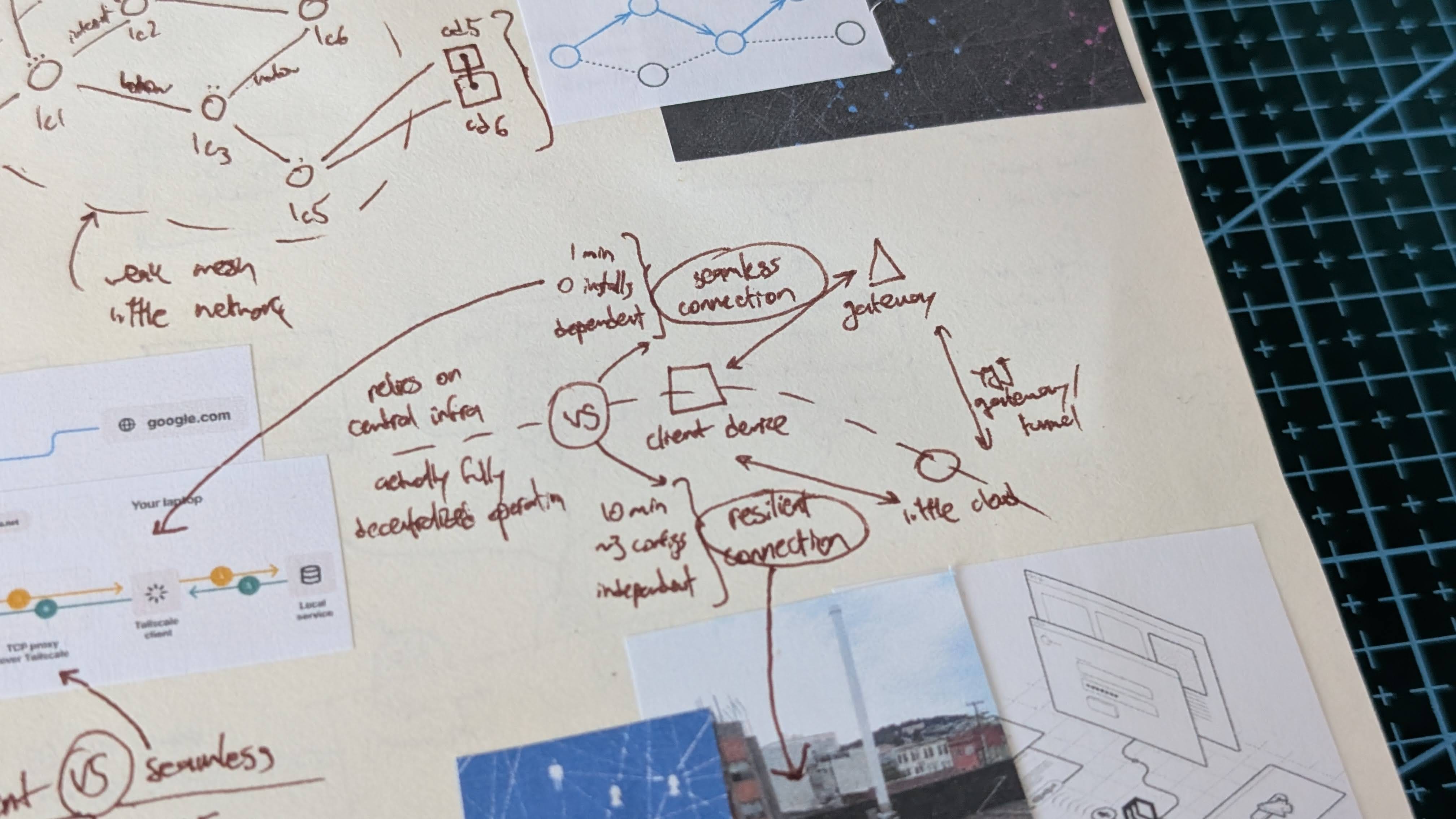
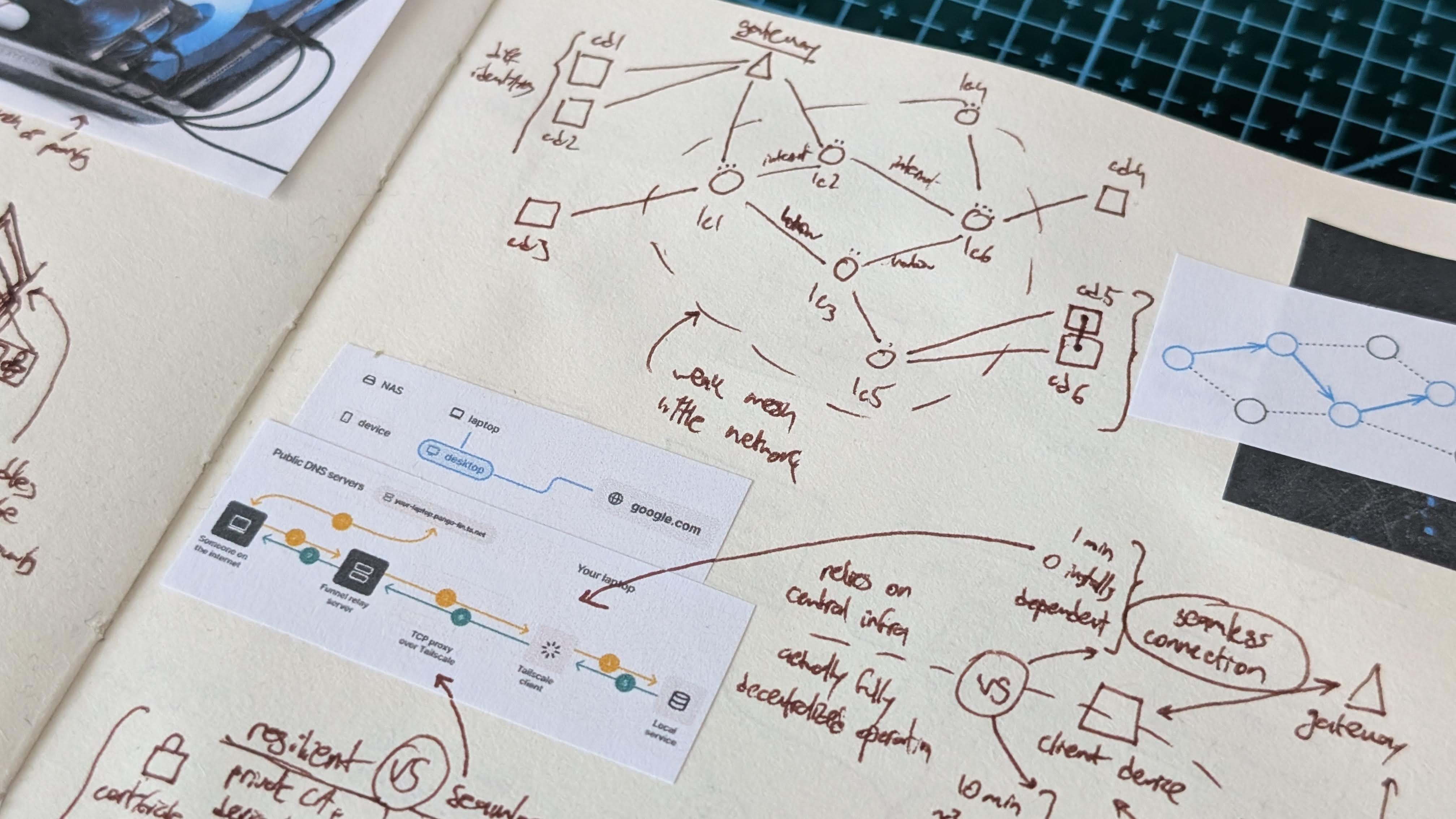
Here’s my current best guess as to how to get both the convenience of an integrated solution and the resilience of grassroots infrastructure. There could be two ways for someone to access the platforms hosted on their own little cloud or those of their friends. On one hand, consider a seamless option that can be configured in under a minute, but against which companies and governments still hold the leverage of a kill switch. On the other hand, consider a resilient option that takes ten minutes to initially set up, but which then runs entirely independent from mainstream internet infrastructure.
Crucially, it would be possible to upgrade your setup to resilient mode later, such as during an internet blackout or under a compute surveillance regime, based on instructions bundled with the device itself. The mere presence of a credible option to switch away from classic infrastructure might be a partial deterrent against overreaching authorities.
seamless
For the seamless path, I’m thinking of something along the following vignette. Your little cloud has picked a random identifier during its initial setup, and you can now use your phone to access it by heading over to the matching subdomain of littlecloud.ngo. Because your phone has been previously bound to your little cloud’s account using passkeys, you can then sign in without using a password or magic link. That’s it.
On this seamless path, however, we rely on: third-party DNS resolvers to recognize the domain, third-party certificate authorities for the HTTPS certificate, a centralized gateway into the little network, as well as the tons of third-party plumbing between these components. But this allows us to simply visit our URL from any device and just sign in, all without having to remember a password.
Unbeknownst to disinterested users, the random identifier of their little cloud simply encodes its Yggdrasil address. Yggdrasil is similar to a VPN like Tailscale, in that it allows nodes across different local networks to talk to each other. However, unlike Tailscale, it has no centralized coordination server. Who gives out names to each node then? They pick their own random names. Who tells nodes what other nodes are on the network? They gossip with each other automatically to discover peers. The subdomain namespace in the vignette above simply acts as a convenient gateway into the Yggdrasil network, analogous to Tailscale Funnel or Cloudflare Tunnels.
resilient
Okay, so you can head over to a URL and sign into your little cloud. But you’re still at the mercy of various corporate and government actors when trying to remotely access your own tiny cluster or that of your friends. That doesn’t feel quite right. Fortunately, it only takes ten minutes to make your connection truly resilient, and you’d be guided step-by-step along the process.
First, install Yggdrasil to be able to bypass the gateway and connect directly to little clouds. Second, register a private certificate authority in your device settings, to be able to recognize certificates burned into the little clouds directly. Third, configure your device to use your little cloud’s own DNS resolver to be able to reach the same domains as before. Assume further that you have a wired, WiFi, or long-distance radio connection to a little cloud, and that it has been equipped with long-distance radio to reach your own one over the mesh network.
With such a setup, you’d be able to sign into your little cloud or those of your friends in the same exact way you were doing before. Only that in this advanced mode, you wouldn’t encounter any of the traditional third-party middlemen of mainstream internet. And it’d be okay to ignore this more involved process until the situation actually calls for it. Until then, just go to your URL and press a button to sign in.
binding
What about the initial sign up before being able to sign into your account? One option would be to allow the owners of a little cloud to configure it such that anyone who can reach it can create an account. I’d personally not be too fond of this setup, but people should be free to decide what they’re willing to do with the devices they own.
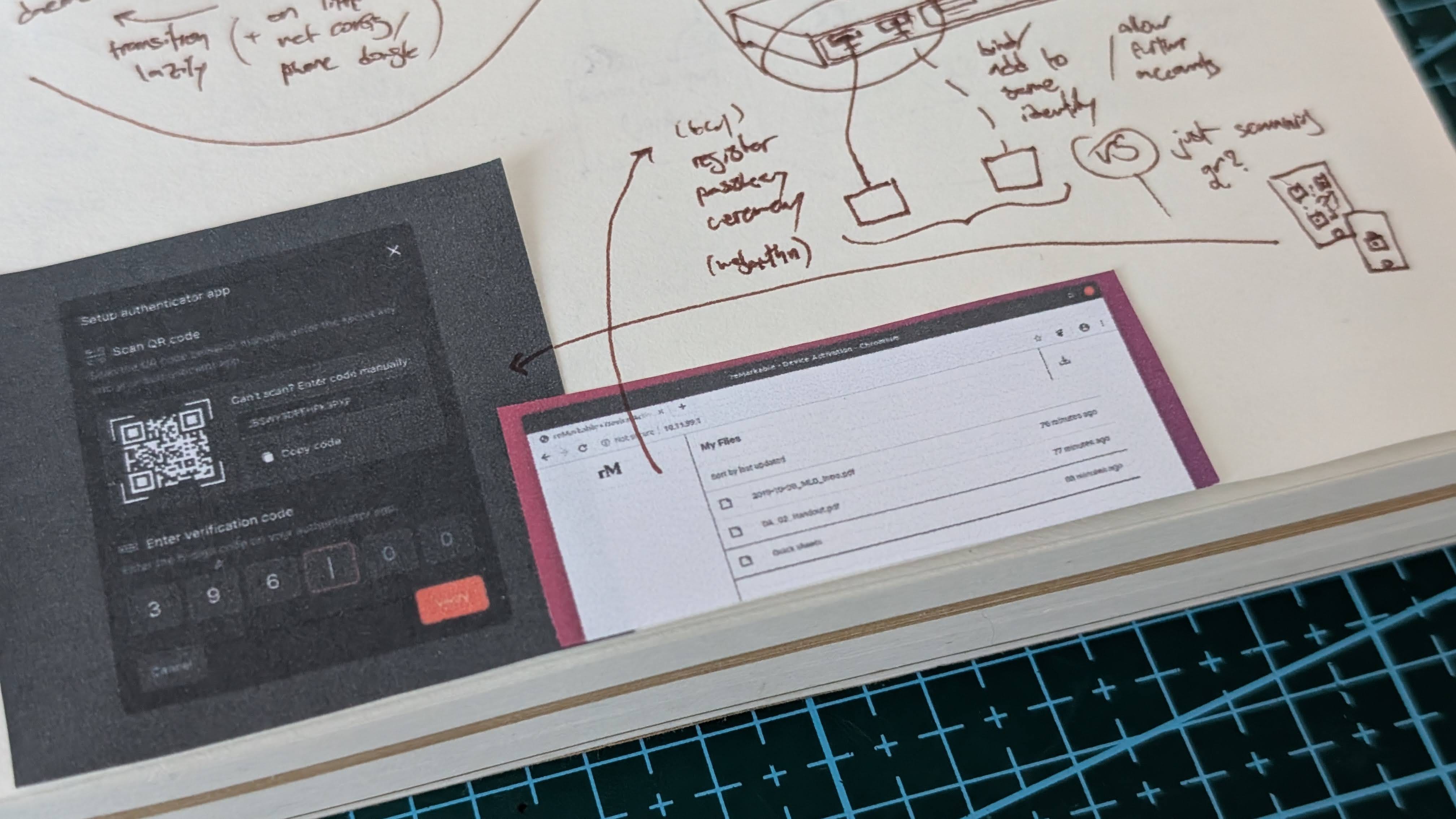
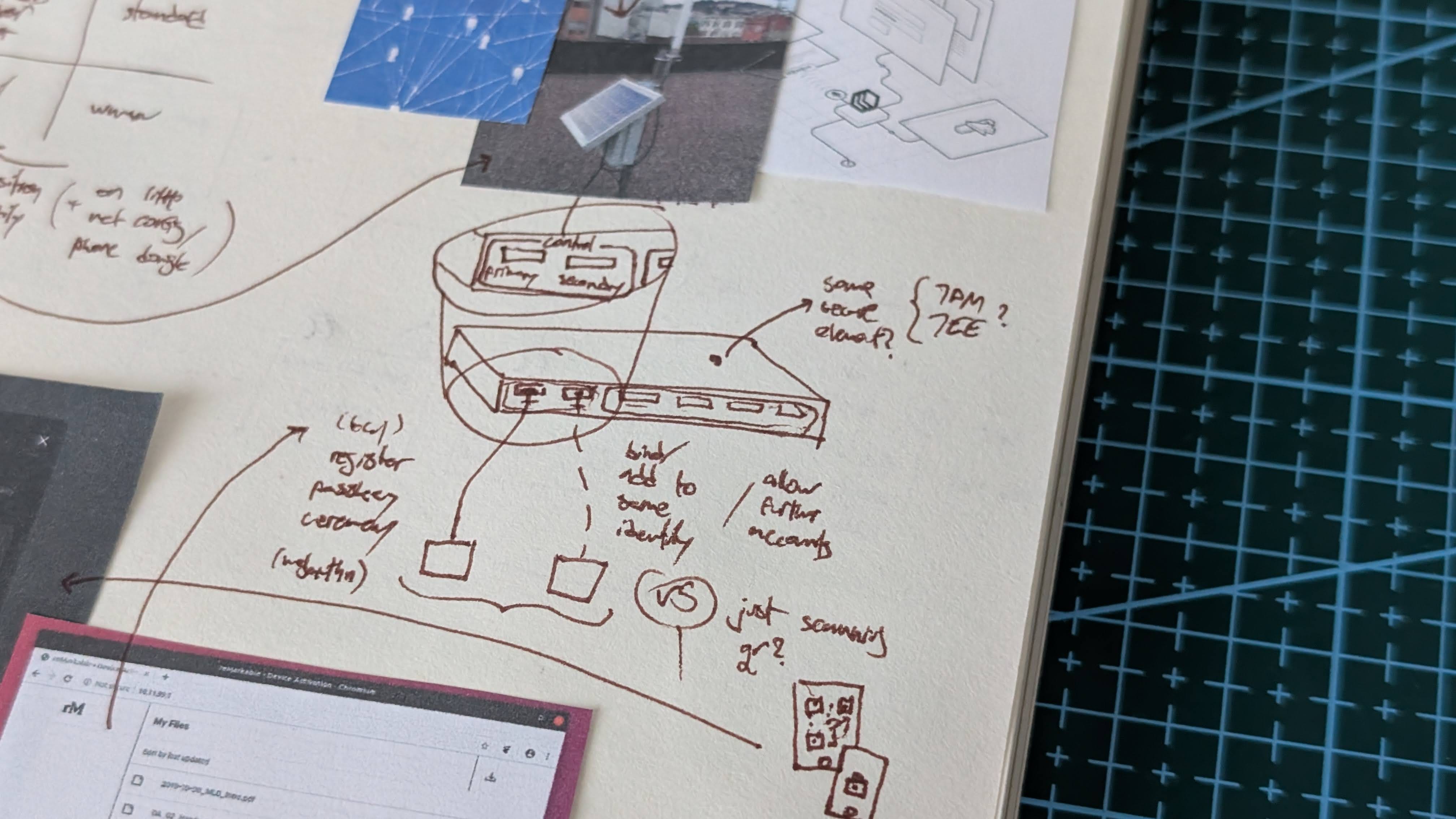
Another option would be to take advantage of the inherent access controls inherent to the physical device. If it’s running inside a home, for instance, physical access is already restricted to a trusted circle of family and friends. So what if you had to initially be present near little cloud for getting access to it? Inherit the culture-specific access controls implicit to different types of spaces directly.
Maybe to bind your client device to little cloud, you initially need a wired connection to one of its many ports. For adding new devices, maybe you either connect your already-paired and not-yet-paired devices at the same time. Or scan a code between them. Either way, identity should remain federated to avoid having to “sign in with” a centralized identity provider.
setup
Before you can sign into your account, and before you can create an account, you need to first turn your little cloud on and configure it in the first place. This boils down to connecting it to the network and adding your old electronics as worker devices.
There are a few options I considered for a setup wizard. Maybe you turn a worker device with a screen into a control panel. But that requires you to have already recruited it and to have such a screen-enabled worker device. Maybe you hook it up to a monitor or TV to double as a media system. But then you might also need a keyboard, which gets awkward. I’d like to avoid dedicated WiFi or Bluetooth for the first version, which rules out access points and smart-home-like apps as setup pathways. On-device screens and buttons might be frustratingly tiny on a 1U-tall rack-mountable box.
The more promising option is inspired by reMarkable’s tablet ecosystem. It has this interesting web interface that you can access from any browser once you have a wired connection to the tablet. People could use their existing daily-driver devices to configure little cloud by simply connecting to it via a single USB cable and visiting a URL. There, you could handle these initial device setup issues, such as adding worker devices or using their existing radios to connect to WiFi or mobile data.